

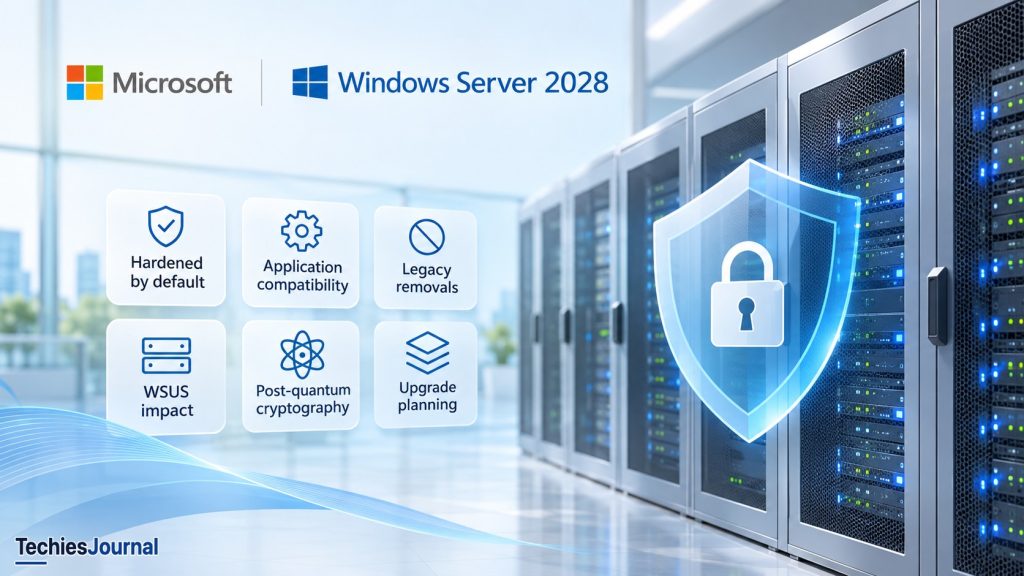
Microsoft is introducing stronger security defaults and retiring older technologies in Windows Server 2028. What does this mean for existing applications, server administration, and future upgrades?
Imagine deploying a new Windows Server for an important business application. Installation completes successfully, the server joins the domain, and the application is ready to configure.
But something unexpected happens.
An authentication method the application depends on no longer works. A management script cannot change a setting it previously controlled. A remote administration tool fails to connect.
The server may not be malfunctioning. It may be enforcing security protections that earlier installations left administrators to configure.
This is an important direction Microsoft is taking with Windows Server 2028. Instead of relying entirely on organizations to harden servers after installation, Microsoft is introducing stronger security settings as part of the operating system’s initial configuration.
For administrators, this changes more than the installation process. It affects application compatibility, configuration management, troubleshooting, and future upgrade planning.
Windows Server 2028 is still in preview
Microsoft announced Windows Server 2028 on November 17, 2026. As of November 18, Windows Server 2025 remains the current generally available Long-Term Servicing Channel (LTSC) release.
Windows Server 2028 is available through the Windows Server Insider Preview program, but it is not yet a production-ready replacement for supported installations.
Preview build 29706 includes Server Core and Desktop Experience installation options. However, the new hardened-by-default configuration described in Microsoft’s announcement specifically applies to Server Core, beginning with that build.
Microsoft is still developing additional protections, and some proposed changes may evolve before general availability. The preview is therefore useful for technical evaluation, not as a basis for assuming that every announced capability is complete.
Why Microsoft is changing the default security model
Windows Server has supported security hardening for many years. Organizations can already apply Microsoft security baselines, Group Policy restrictions, authentication protections, firewall rules, and other safeguards.
The challenge is consistency.
Consider two organizations deploying Windows Server 2025.
The first uses an automated build process that applies a tested security baseline, monitors configuration drift, and verifies compliance.
The second installs servers manually and applies hardening afterward. Some systems receive the full baseline, while others retain older settings because of application dependencies or operational oversight.
Both use the same operating system, but their security configurations may differ considerably.
Microsoft’s new approach aims to reduce that dependence on post-installation configuration.
According to the Hardened Server Core announcement, Windows Server Insider Preview build 29706 introduces hundreds of security settings enabled from first boot. Microsoft describes these settings as aligned with recognized benchmarks, including CIS and DISA STIG.
Benchmark alignment does not mean an installation automatically satisfies every compliance requirement. Organizations still need to assess controls against their own security policies.
The significant change is the starting point: security restrictions are increasingly part of the operating system’s default configuration rather than something added entirely after installation.
What does hardened by default actually change?
The new configuration affects several areas of Windows Server security.
| Security area | Direction of the new defaults | Potential impact |
|---|---|---|
| Authentication | Preference for Kerberos and stronger credential protections | Legacy authentication dependencies may require changes |
| File sharing | Stronger SMB signing and encryption settings | Older clients and integrations may encounter compatibility issues |
| Network security | Firewall protections and restrictions on older network behavior | Applications may require explicit connectivity configuration |
| Remote management | Restrictions on weaker WinRM authentication and unencrypted traffic | Existing administrative tools may need updates |
| Cryptography | Modern TLS settings and hybrid post-quantum key exchange | Protocol and client compatibility requires evaluation |
| Privileges | More restrictive elevation and privilege settings | Installers and administrative workflows may behave differently |
| Auditing | Expanded security and PowerShell logging | Greater visibility into security-relevant activity |
These represent Microsoft’s documented security direction. The precise settings and their availability must be checked against the preview build under evaluation.
The consequences become clearer when an existing application needs behavior that the hardened configuration restricts.
What happens when an application needs an older setting?
Consider a fictional enterprise application that uses an older remote management component.
On Windows Server 2025, the component connects through WinRM using Basic authentication. The organization attempts to install the same application on a hardened Windows Server 2028 preview server.
When the administrator tries to enable the previous WinRM configuration, Windows refuses the change because a security policy controls that setting.
This is different from changing an ordinary local configuration value.
Microsoft’s hardened implementation uses policy values under HKLM\SOFTWARE\Policies where supported by the relevant Windows component. A lower-priority local setting cannot override an active policy value.
That prevents an application installer or script from casually undoing a security control.
The administrator must now determine whether the application can use a stronger authentication method, whether the vendor provides an update, or whether a supported exception is genuinely necessary.
If an exception is required, the organization should understand the security consequence and manage it through the appropriate configuration authority.
The objective is not to make every older application work by disabling restrictions. It is to identify which dependencies can be modernized and which require explicit risk decisions.
A new challenge: the security setting may be active even when Group Policy does not show it
The hardened configuration introduces a troubleshooting difference that experienced Windows administrators should understand.
Administrators frequently use gpresult or Resultant Set of Policy (RSOP) to investigate Group Policy settings.
However, some hardened values are built directly into the operating system image rather than originating from conventional Group Policy .pol files.
Microsoft explains that gpresult and RSOP may therefore report certain settings as Not Configured even when their hardened values are active.
An administrator could interpret the report as evidence that no policy restriction exists, while the application continues to encounter the enforced setting.
To address this visibility gap, Microsoft introduces MSHardenedPolicyEval.
For example, an elevated PowerShell session can inspect the hardened configuration using:
Get-MSHardenedPolicyScore |
    Format-Table Name, PassingPolicyCount, PolicyCount, Score
The tool reports configuration scores across areas such as remote management, auditing, Windows Firewall, and SMB file sharing.
Microsoft also documents two commands for managing hardened policy categories:
Set-MSHardenedPolicy: applies hardened settings for specified categories.Restore-MSHardenedPolicy: restores specified categories toward standard Windows Server configuration.
The restore command does not recover a previously saved custom configuration. Its purpose is to revert the relevant hardened defaults.
Administrators must also avoid competing configuration sources.
If Group Policy, OSConfig, or another management system already controls a setting, using separate commands to change the same value can create conflicting configuration states.
The current preview evaluation tool has limitations, including settings it cannot measure and results that depend on installed components. Microsoft also warns that some tool behavior and command names may change.
For enterprise environments, the operational lesson is important: effective configuration depends on more than the value displayed by one management tool. Administrators need to understand where a setting originates and which system controls it.
Security hardening is not the same as removing a technology
A restricted feature may sometimes be enabled through an approved policy exception. A removed component cannot be restored through a policy change.
This distinction matters because Windows Server 2028 also includes plans to remove or deprecate several older technologies.
Microsoft’s removed and deprecated features documentation includes the following changes.
| Technology | Planned direction | Administrator consideration |
|---|---|---|
| Windows Server Update Services (WSUS) role | Removal | Reassess future patch-management architecture |
| SMBv1 | Removal | Identify legacy file-sharing dependencies |
| WMIC command utility | Removal | Update administrative scripts |
| VBScript | Removal | Migrate older scripts and application components |
| WINS | Removal | Identify remaining name-resolution dependencies |
| DirectAccess | Removal | Evaluate supported remote-access alternatives |
| PPTP and L2TP remote access | Removal | Review VPN infrastructure |
| Legacy BIOS boot | Removal | Prepare compatible UEFI-based deployments |
| Windows PowerShell 5.1 | Deprecation | Test PowerShell 7 compatibility |
| Windows Deployment Services | Deprecation | Review operating-system deployment workflows |
Microsoft states that the plans may change before Windows Server 2028 reaches general availability. A planned removal should not be presented as proof that a component is already absent from every preview build.
Deprecation also differs from removal. A deprecated technology may remain available and supported during the applicable product lifecycle, even though Microsoft is signaling that organizations should move away from it.
Why WSUS deserves particular attention
WSUS is one of the more consequential planned removals because many enterprises depend on it for controlled Windows patch distribution.
Microsoft plans to remove the WSUS server role from Windows Server 2028. Existing installations on supported earlier Windows Server releases are not automatically discontinued by that decision.
The larger concern is future architecture.
Organizations using WSUS must consider whether their update-management design can continue relying on a technology that Microsoft no longer intends to include in new releases.
This is particularly relevant for disconnected networks, regulated environments, and infrastructure where updates pass through tightly controlled approval processes.
Cloud-based alternatives may meet the requirements of some organizations, but they are not automatically suitable for every network or operational model.
Microsoft has acknowledged the need to support these scenarios, although the available replacement direction requires further evaluation.
For now, organizations should identify their WSUS dependencies and assess options without treating the planned removal as an immediate emergency.
Why this matters for enterprise upgrade planning
An enterprise Windows Server upgrade involves much more than installing a new operating system.
A server may depend on domain authentication, certificates, application services, monitoring agents, backup software, remote management, and deployment automation. A change in any one of those areas can affect the wider workload.
Consider an organization running a business application on Windows Server 2022.
The application starts successfully when tested on Windows Server 2028 Preview. That is encouraging, but it does not establish compatibility.
Users still need to authenticate. External systems must communicate with the application. Monitoring and backup agents must operate correctly, and administrators must be able to maintain the environment.
Failures may have different causes.
A connection problem could result from a deliberate firewall or authentication restriction. A failed script might depend on a technology planned for removal. An unexpected crash could be a preview defect.
Those situations require different responses.
| Cause | Appropriate response |
|---|---|
| Security restriction | Update the application or evaluate a controlled exception |
| Removed technology | Identify a supported replacement |
| Deprecated component | Plan migration while assessing its remaining support |
| Preview defect | Document the issue and retest when Microsoft provides an updated build |
| Vendor incompatibility | Obtain the vendor’s supported-version and remediation guidance |
Understanding the cause before changing the configuration prevents organizations from treating every compatibility problem as a reason to weaken security.
Post-quantum cryptography is part of the security direction
Windows Server 2028’s security developments also include hybrid post-quantum TLS key exchange using ML-KEM.
This addresses a different long-term security concern.
Some public-key cryptographic methods widely used today could become vulnerable to sufficiently capable future quantum computers. Post-quantum cryptography introduces algorithms intended to resist those threats.
Hybrid key exchange combines classical and post-quantum methods, helping organizations transition while retaining protections from established cryptographic techniques.
However, supporting hybrid key exchange does not make an entire server or application automatically quantum-safe.
Protection depends on the algorithms actually negotiated, protocol support, certificates, configuration, and the broader cryptographic environment.
The preview also demonstrates why this technology needs careful testing.
Microsoft documents a race condition in build 29706 involving hybrid TLS key exchange that may cause the Local Security Authority Subsystem Service (LSASS) to crash.
Microsoft provides a temporary mitigation involving affected hybrid groups while a fix is developed.
This is a documented preview issue, not evidence of the same problem in supported production Windows Server releases.
The relevant lesson is that a security capability can represent meaningful progress while still requiring further engineering and validation before production use.
What Windows Server 2028 has not completed yet
Microsoft has identified additional security protections planned for future previews.
These include stronger NTLM restrictions, hardware-backed platform requirements, kernel shadow stacks, and further print and RPC hardening.
The current preference for stronger authentication should therefore not be interpreted as confirmation that all NTLM usage has already been blocked.
For organizations with older applications, these unfinished areas matter because compatibility requirements may change as Microsoft continues developing the release.
Preview documentation should be treated as an evolving technical reference. Administrators should distinguish a capability available in the build they are testing from one Microsoft has announced as a future objective.
What should administrators do now?
The immediate value of Windows Server 2028 is the opportunity to identify dependencies before the release becomes part of a future upgrade plan.
A practical evaluation can follow five activities.
Identify legacy dependencies
Review applications and infrastructure that rely on older authentication methods, SMB protocols, scripting tools, remote-access technologies, or operating-system roles.
Include vendor products, monitoring tools, backup agents, and deployment automation.
Build an isolated preview environment
Install Windows Server 2028 Preview in a non-production environment and examine the hardened Server Core configuration.
Use representative workloads rather than attempting a broad migration.
Validate actual behavior
Test authentication, network connectivity, application integrations, administrative scripts, backup operations, and monitoring.
Record the exact setting or component responsible for each failure.
Establish configuration ownership
Determine which settings are controlled by the operating system defaults, Group Policy, OSConfig, or other management systems.
Avoid making exceptions through multiple competing configuration mechanisms.
Use the results for future planning
Classify findings as application changes, vendor dependencies, controlled exceptions, planned component replacements, or preview issues.
This gives the organization a clearer understanding of future upgrade effort without committing to a production migration before the technology is ready.
Does hardened by default eliminate the need for security baselines?
No.
Microsoft’s new defaults may reduce the work required to establish a secure initial configuration. They do not replace organizational security standards or operational security management.
A default baseline cannot account for every application architecture, regulatory obligation, network boundary, identity configuration, or business risk.
Organizations still need to manage access, updates, monitoring, compliance, configuration drift, and justified exceptions.
For teams that already maintain mature Windows Server hardening processes, the appropriate response is to compare the new defaults with existing controls rather than discard established practices.
The goal is to understand where Microsoft’s configuration provides protection, where organizational requirements go further, and where conflicts need to be resolved.
What this change means for Windows Server administration
Windows Server 2028’s hardened-by-default direction is more than another security feature announcement.
It changes the initial assumptions under which applications and administration tools operate.
An application that works on an older server may depend on authentication, protocols, or configuration behavior that the new defaults restrict. Some legacy components are also planned for removal entirely.
These changes can introduce additional work during evaluation and upgrades, particularly for organizations with older applications or complicated infrastructure.
They can also expose dependencies that previously remained hidden behind permissive configurations or undocumented exceptions.
Neither outcome should be ignored.
Stronger operating-system defaults are useful, but they cannot replace application modernization, sound architecture, or responsible operational decisions.
For administrators, the most valuable preparation is not an immediate move to Windows Server 2028.
It is understanding which parts of the existing environment depend on older behavior, whether those dependencies can be removed, and what the organization must change before its next server upgrade.
That preparation will remain valuable even if the final Windows Server 2028 release differs from today’s preview.
References and further reading
Source review: November 18, 2026. Windows Server 2028 remains in preview. Verify time-sensitive capabilities and compatibility information against the relevant build before implementation.
- Windows Server release information (Microsoft Learn): Current Windows Server releases, servicing information, and lifecycle references.
- Announcing Hardened Server Core for Windows Server Insiders (Microsoft): Microsoft’s November 17, 2026 explanation of the hardened configuration, policy behavior, evaluation tools, and planned protections.
- Windows Server vNext Preview Build 29706 (Microsoft): Preview release notes covering known issues, limitations, and compatibility considerations.
- Removed and deprecated Windows Server features (Microsoft Learn): Microsoft’s current list of planned Windows Server 2028 removals and deprecations.
- Windows Server 2028: A Trusted Foundation for an Evolving Enterprise (Microsoft): Official overview of the wider Windows Server 2028 platform direction.