

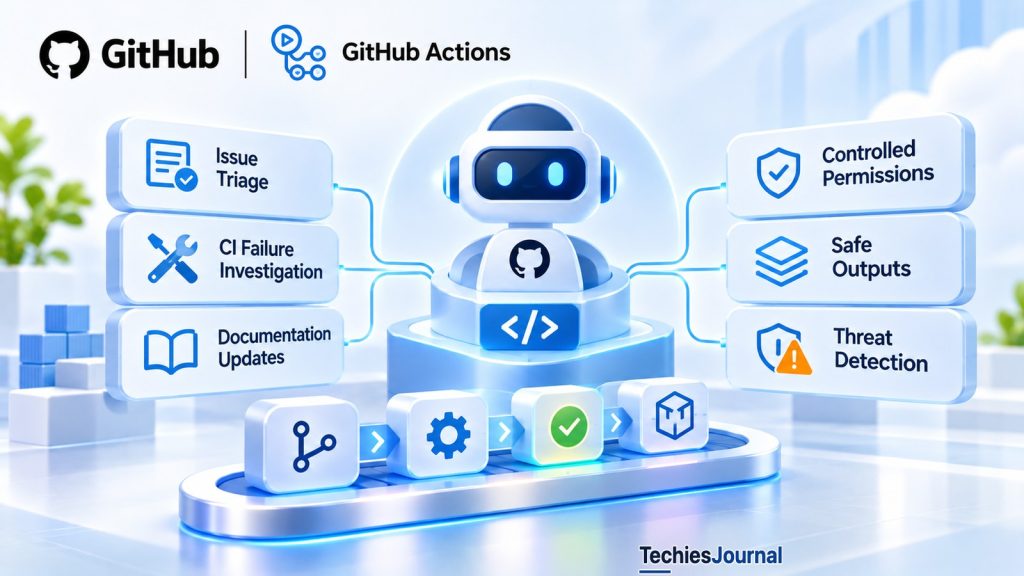
GitHub Agentic Workflows lets coding agents investigate CI failures, maintain documentation and perform repository tasks through GitHub Actions. Its permission model separates agent reasoning from authorized operations, but teams still need to understand which actions can run automatically.
Traditional CI/CD automation follows predefined instructions. A pipeline builds software, executes tests, scans dependencies or deploys an approved release, and each step has a relatively well-defined purpose.
Other repository tasks are less predictable. Investigating a failed build may require reading logs and comparing changes. Triaging an issue requires interpreting a description. Updating documentation may involve understanding several parts of an application.
On October 28, 2026, GitHub announced the general availability of GitHub Agentic Workflows, an open-source project that brings coding agents into GitHub Actions. It allows teams to automate selected reasoning-based tasks using natural-language instructions.
The important change is not simply that an AI agent can run inside a pipeline. It is how its investigation, permissions and resulting actions are controlled.
How does an agentic workflow work?
A GitHub Agentic Workflow begins as a Markdown file. Its frontmatter, the configuration block at the top of the file, defines settings such as triggers, permissions, tools, execution settings, the selected AI engine and permitted outputs. The Markdown body contains the agent’s task instructions. For example, a workflow might investigate why a CI run failed and prepare a diagnostic report.
The gh-aw GitHub CLI extension compiles the source into an executable GitHub Actions workflow.
| Stage | Responsibility |
|---|---|
| Define | Describe the task and configure triggers, tools, permissions and outputs |
| Compile | Validate the configuration and generate a .lock.yml GitHub Actions workflow |
| Execute | Run the selected coding agent inside the configured Actions environment |
| Process outputs | Validate requested operations and apply those permitted by the workflow’s configuration |
The generated workflow uses GitHub Actions infrastructure, including applicable runner policies. Compilation does not turn natural-language instructions into deterministic code, so the agent still interprets the task during execution.
Editing a workflow later has two different effects. Changes to workflow frontmatter require recompilation because they affect the generated Actions configuration. Changes limited to the Markdown instruction body are loaded at runtime without recompilation, and compiling after such a change is also safe and may be required by repository policy to keep the generated file current. GitHub’s documentation says to commit the Markdown source and the generated .lock.yml file together.
Sources: GitHub Agentic Workflows, Compilation Process and Working with Workflows.
What makes safe outputs different?
A coding agent may need to propose an action after investigating a repository. It might want to create an issue, add a comment or prepare a pull request. Giving the agent unrestricted repository write permissions would allow it to perform those operations directly.
GitHub Agentic Workflows offers another approach called safe outputs. The agent requests an operation through structured output, and separate jobs validate the request and execute it using scoped permissions.
For example, a workflow investigating failed tests could be authorized to create one diagnostic issue with specific labels. The agent can supply the proposed issue content without receiving the credentials used by the output-processing job. This separation reduces the authority directly available to the agent.
Agent requests
GitHub Agentic Workflows uses read-only repository permissions by default for the agent portion of a workflow.
The agent requests an operation through structured output, and separate jobs validate the request and execute it using scoped permissions.
Output job validates
The agent can supply the proposed issue content without receiving the credentials used by the output-processing job.
This separation reduces the authority directly available to the agent.
Threat detection checks
Threat detection is enabled by default when safe outputs are configured.
In its documented default warning mode, detection findings do not necessarily block every operation.
Strict mode can prevent safe outputs from being applied when detection fails.
A write can still happen
However, safe outputs are not automatically human-approval queues.
Depending on the configured output type and applicable repository protections, a validated operation can execute automatically.
However, safe outputs are not automatically human-approval queues. Depending on the configured output type and applicable repository protections, a validated operation can execute automatically.
Safe outputs support various actions, including issue updates, pull request creation and pull request merging. The documentation labels merging as experimental and applies it only after policy gates pass. A workflow author must therefore examine both what an agent can request and what the output handler is authorized to perform.
An important default behavior
If the workflow does not declare a safe-outputs section, or declares only system output types, GitHub Agentic Workflows automatically enables conservative issue creation by default. That configuration limits issue creation and applies workflow-specific naming controls. It is still a repository write operation.
Teams building read-only reporting workflows should explicitly verify the effective output behavior instead of assuming that omitting an output section guarantees no repository changes.
Source: GitHub Agentic Workflows, Safe Outputs.
What protection does threat detection provide?
Repository content can contain untrusted instructions. An issue description, pull request comment or source file might contain text attempting to redirect an agent away from its assigned task. This is a prompt-injection risk because the agent must distinguish material it is analyzing from instructions it is authorized to follow. For how attackers reach a pipeline in the first place, see our article on CI/CD supply chain attacks.
GitHub Agentic Workflows provides multiple protections, including content-integrity filtering, sandboxing, network controls and output validation. It also supports threat detection that examines agent-produced content and code changes before safe outputs are applied. Threat detection is enabled by default when safe outputs are configured.
However, the system has configurable enforcement behavior. In its documented default warning mode, detection findings do not necessarily block every operation.
Supported reviewable outputs may instead receive prominent threat warnings. Certain operations can be converted into reviewable artifacts, while other operations are blocked. Strict mode can prevent safe outputs from being applied when detection fails.
These differences matter for repository policy. An organization that requires suspected malicious changes to be blocked should verify the actual threat-detection settings and operation-specific behavior. A warning attached to an automatically created issue is not equivalent to a hard security gate.
GitHub also permits configuration changes that disable or customize aspects of threat detection. The built-in protections are useful controls, but they do not make every possible workflow configuration safe.
Source: GitHub Agentic Workflows, Threat Detection.
Read-only GitHub access does not mean the agent has no other authority
GitHub Agentic Workflows uses read-only repository permissions by default for the agent portion of a workflow. That helps limit direct modifications to GitHub content. But repository write permissions are only one security boundary.
The agent may still require a token or another authentication mechanism to access a model. A workflow can also be configured to use external tools, network destinations, additional credentials or custom jobs.
Some GitHub Actions permissions have specialized purposes. For example, id-token: write allows a workflow to request an OpenID Connect (OIDC) token for authentication with an external service. It does not itself grant permission to modify repository content.
Likewise, copilot-requests: write supports Copilot inference through the GitHub Actions token under supported configurations. These permissions should not be confused with contents: write or other GitHub repository-modification permissions.
For production use, teams need to review the complete execution configuration:
- Which repository data can the agent read?
- Which external services and tools can it reach?
- Which credentials are available to each job?
- Which output operations can change repository resources?
- Which ordinary branch protections and approval requirements still apply?
The correct control boundary is the full workflow, not only the agent’s initial permission setting.
What it can read
Which repository data can the agent read?
GitHub Agentic Workflows uses read-only repository permissions by default for the agent portion of a workflow.
What it can reach
Which external services and tools can it reach?
A workflow can also be configured to use external tools, network destinations, additional credentials or custom jobs.
Which credentials
Which credentials are available to each job?
The agent may still require a token or another authentication mechanism to access a model.
What can change
Which output operations can change repository resources?
Safe outputs may apply changes automatically.
What still applies
Which ordinary branch protections and approval requirements still apply?
The correct control boundary is the full workflow, not only the agent’s initial permission setting.
Source: GitHub Agentic Workflows, GitHub Tools Read Permissions.
Where does agentic automation add value?
GitHub identifies several uses for agentic workflows, including issue triage, CI failure investigation, documentation maintenance and test development. These tasks benefit from interpretation.
For example, a conventional CI system can report that a test failed. An agent can inspect the failure, examine recent changes and prepare a possible explanation. The explanation may save engineering time, but it is not guaranteed to be correct.
That is why agentic investigation and deterministic verification serve different purposes. Tests establish whether defined conditions hold. Static analysis detects particular code patterns.
Branch protections enforce repository rules. For how AI review fits into merge policy, see our article on when AI can block a pull request.
An agent can help engineers understand the evidence and prepare a response. It should not be treated as proof that a change is correct simply because it successfully produced an explanation or pull request. The same principle applies to AI-generated tests. A test proposed by an agent still needs to verify the intended behavior rather than merely pass against the current implementation.
What changed with general availability?
The October 28 release established general availability of the open-source project on github.com for GitHub Free, Team and Enterprise. GitHub highlighted several additions and improvements since preview, including support for Actions Runner Controller with Docker-in-Docker, budget forecasting, model and engine selection, model routing and additional isolation options. These capabilities are not necessarily enabled in every workflow automatically, and some require particular runner arrangements or explicit configuration.
GitHub’s default Copilot CLI engine requires an appropriate Copilot license. Other supported agent engines have their own authentication, availability and billing requirements. GitHub also provides gh aw forecast to help estimate model-related usage. Forecasts should be treated as planning estimates, because actual consumption depends on which workflows run, how frequently they execute and how much reasoning or tool use each task requires.
General availability establishes product availability. It does not independently validate an organization’s workflow configuration or guarantee productivity improvements.
Source: GitHub, Agentic Workflows Generally Available, October 28, 2026.
A sensible first production workflow
A useful starting point is CI failure investigation. The agent can inspect a failed run and prepare a short diagnostic summary without receiving permission to change source code or approve deployments.
Before enabling it broadly, teams should validate five things.
Task boundaries. Define which CI failures the agent investigates and what constitutes a useful result.
Effective permissions. Inspect both the agent’s access and the safe-output jobs. Confirm that no unexpected repository writes or external actions are available.
Generated workflow. Compile the Markdown source, inspect the resulting .lock.yml and preserve the source-to-generated-workflow relationship.
Security behavior. Test untrusted issue text, misleading logs and suspicious proposed outputs. Confirm whether threat detection blocks, warns or converts an operation.
Operational value. Measure useful diagnoses, false positives, time saved, model consumption and unnecessary issues created.
Staged mode can help teams preview proposed writes before enabling actual operations. It runs the workflow and shows a preview of the built-in safe outputs it would create without applying those writes. It is not a sandbox, because custom jobs, scripts, external MCP servers and custom credentials need separate controls.
If the workflow consistently provides useful results, the team can consider adding a narrowly defined capability, such as opening a diagnostic issue or preparing a pull request. There is no need to grant code modification, merge authority or deployment permissions simply because the workflow can investigate failures.
Source: GitHub Agentic Workflows, Staged Mode.
What this means for CI/CD
GitHub Agentic Workflows expands CI/CD from executing predefined steps to investigating less predictable repository tasks. Its design provides mechanisms for separating agent reasoning from authorized operations, but those mechanisms are only as effective as their configuration.
Safe outputs may apply changes automatically. Threat detection has different enforcement modes. Additional credentials and external tools can widen an agent’s effective authority.
The practical starting point is to automate one useful investigation task with minimal permissions, inspect the generated workflow and measure the result before granting authority to change code or repository state.
References and further reading
- GitHub, Agentic Workflows Generally Available. October 28, 2026.
- GitHub Agentic Workflows, Source Repository. Official open-source project.
- GitHub Agentic Workflows, Compilation Process. Markdown compilation and generated Actions workflows.
- GitHub Agentic Workflows, Working with Workflows. Recompilation requirements.
- GitHub Agentic Workflows, Safe Outputs. Authorized output operations and default behavior.
- GitHub Agentic Workflows, Threat Detection. Security scanning and enforcement modes.
- GitHub Agentic Workflows, Permissions. GitHub and inference permissions.
- GitHub Agentic Workflows, Staged Mode. Previewing safe outputs and its limits.
Sources reviewed November 6, 2026. Security controls and workflow capabilities reflect GitHub’s documented behavior on that date, and a product that became generally available on October 28 changes quickly, so check the sources above before you act. This article does not claim that TechiesJournal independently deployed, audited or benchmarked a production GitHub Agentic Workflow.