

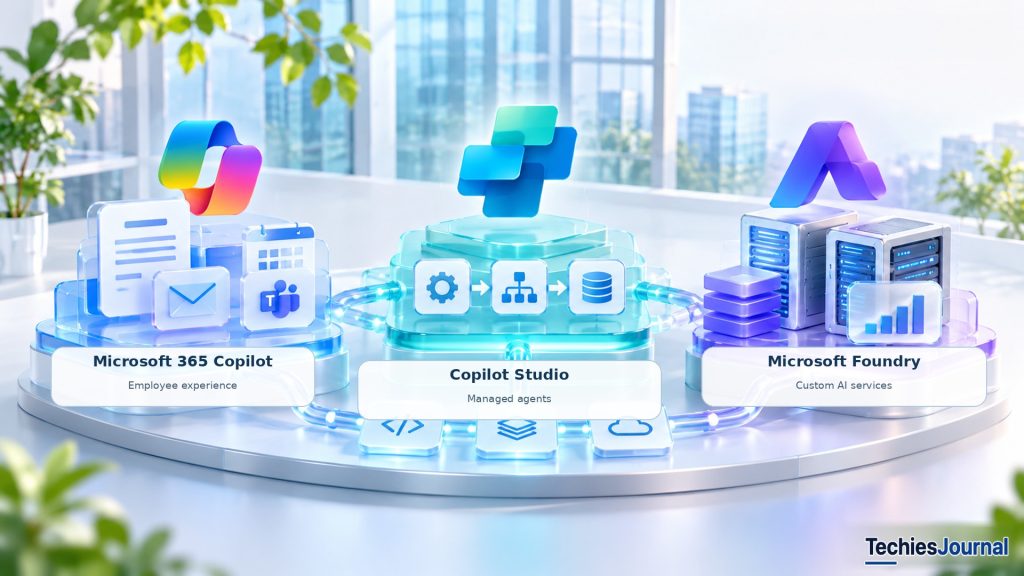
Microsoft offers several ways to introduce AI into an organization. Employees can use Microsoft 365 Copilot for everyday work. Teams can create agents with Copilot Studio. Developers can build custom AI applications using Microsoft Foundry.
The challenge is deciding which approach fits the requirement.
Consider an enterprise IT department with three needs. Employees want answers from approved internal documentation. The service desk wants agents to retrieve and update support tickets. The infrastructure team needs specialized diagnostics that use monitoring systems and custom application code.
All three involve AI, but they require different capabilities.
The first two articles in this TechiesJournal series established the foundation. Part 1 introduced Microsoft’s AI ecosystem and its major products. Part 2 explained how Foundry’s models, agents and production services work.
This article takes the next step: choosing an appropriate Microsoft AI platform based on what the application needs to do, how it will be built and where it will operate.
1. Understanding Microsoft’s AI Platform Choices
The main Microsoft AI platforms can be understood through their responsibilities rather than their product names.
| Platform | Primary responsibility | Typical use |
|---|---|---|
| Microsoft 365 Copilot | AI assistance within Microsoft 365 | Employee productivity and knowledge work |
| Agent Builder | Create focused agents within Microsoft 365 Copilot | Departmental knowledge assistants |
| Copilot Studio | Create and operate managed AI agents | Business workflows and connected enterprise systems |
| Microsoft Foundry | Develop and operate custom AI applications | Specialist agents and developer-controlled services |
There is an important distinction behind this comparison.
Where an employee uses AI, where an agent coordinates work and where specialist code executes can be three different places.
A Microsoft 365 interface might receive the employee’s question. A Copilot Studio agent might decide which task needs to be performed. A Foundry agent might execute specialized logic.
These components can work together, but they do not always need to.
Text version of Figure 1
- Microsoft 365 Copilot provides the employee experience and passes requests to a primary Copilot Studio agent.
- The Copilot Studio primary agent uses its tools and approved connector actions to reach service-management APIs.
- For specialist work, the primary agent can delegate to a Microsoft Foundry specialist agent and its custom code through the Activity protocol. The connected-agent integration needs the supported protocol, endpoint and authorization configuration.
- The Foundry specialist reaches enterprise diagnostic APIs, which enforce their own independent authorization. Foundry, Copilot Studio and Copilot can also operate independently.
For the IT department, an employee asking for a troubleshooting guide may need only an existing Microsoft 365 Copilot capability. Retrieving a live service ticket introduces external system access. Running custom diagnostics introduces software-development and execution requirements.
The correct starting point is therefore the simplest supported architecture that meets the actual requirement.
That begins with Microsoft 365 Copilot.
2. Microsoft 365 Copilot: AI Within Everyday Work
Microsoft 365 Copilot provides AI assistance across supported Microsoft 365 work experiences, including documents, email, meetings and organizational information.
Its distinguishing capability is access to relevant work context through Microsoft 365 services, subject to the user’s permissions and the capabilities available to their account.
How Copilot uses organizational information
Microsoft 365 Copilot can use Microsoft Graph and semantic indexing to find information relevant to a user’s request.
Microsoft Graph provides access to supported relationships and information within Microsoft 365, including files, messages, meetings and other organizational content.
Semantic indexing makes information easier to retrieve by considering meaning, not just exact keyword matches.
Suppose an employee asks: What is our approved VPN setup procedure for new laptops?
A traditional keyword search might look for documents containing those exact terms.
A semantic search can also identify relevant information written using different wording.
Copilot can use retrieved information to prepare a response. This process is called grounding, meaning the model receives relevant source material rather than relying only on its trained knowledge.
The retrieval process respects the applicable user’s access permissions. Copilot does not automatically gain permission to read every document in the organization.
That distinction matters. If a document is incorrectly shared with too many employees, Copilot’s permission-aware retrieval does not repair the underlying access configuration.
Also, Microsoft Copilot offerings do not all include the same Graph-grounded capabilities. The organization must verify the specific license and experience being deployed.
When Agent Builder becomes useful
The IT department may want a dedicated assistant that focuses on troubleshooting guides, device requests and support policies.
Agent Builder provides a guided way to create focused declarative agents within Microsoft 365 Copilot.
A declarative agent uses configured instructions and supported capabilities to specialize the existing Copilot experience. The department can define what the agent should help with and which supported knowledge sources it should use.
For example, an IT knowledge agent might answer only questions related to approved support documentation.
Agent Builder supports sharing and organizational catalog submission, subject to administrative controls.
Therefore, having hundreds of employees use the agent does not automatically justify moving to Copilot Studio.
The more important question is whether the agent needs capabilities beyond the supported Agent Builder experience.
Where Copilot alone may not be sufficient
Suppose the employee now asks: What is the current status of my laptop replacement request?
The information may exist in an external service-management system rather than in documents available through Microsoft 365.
If the required live lookup or external action is not supported by the configured Copilot experience, a different integration approach is necessary.
Copilot Studio becomes relevant when the organization needs its supported external tools, connectors and workflow capabilities.
This moves the requirement from finding information to working with a business system.
Microsoft documentation: What is Microsoft Copilot? | Semantic indexing | Agent Builder versus Copilot Studio
3. Copilot Studio: Building Agents That Perform Business Tasks
Copilot Studio lets organizations create managed AI agents using instructions, knowledge, connectors, tools and workflows.
It becomes particularly useful when an agent needs to interact with business applications rather than only answer questions from documents.
For the IT department, the requirement might be to retrieve an incident, check its assignment and update its status through an approved service-management API.
How a Copilot Studio agent uses tools
A tool gives the agent a defined way to interact with another system.
For example, the service desk could expose a tool called GetTicketStatus.
The tool accepts a ticket identifier, contacts the service-management application and returns information such as status, assigned team and last update.
When the employee asks about a ticket, the agent can select the configured tool using the request context and the tool’s description.
A typical interaction works as follows:
- The employee asks for ticket status.
- The agent identifies the relevant tool.
- The tool runs through its configured connection and authentication.
- The service-management API returns the ticket information.
- The agent prepares a response using the returned data.
The model helps interpret the request and select or use the tool. The connected service supplies the actual ticket information.
If the agent needs to update the ticket, a separate authorized operation may be required.
Copilot Studio supports several tool types. For agents built with the Microsoft Copilot harness, Microsoft lists connectors, Model Context Protocol servers and workflows, and labels the MCP server and workflow options preview.
Some tools are selected dynamically by the agent. Others can be invoked at a defined point in a configured process.
That distinction affects how predictable the agent’s execution will be.
Understanding the agent harness
An agent also needs a mechanism to manage its interaction with the model and tools.
Microsoft calls this a harness.
The harness supplies the model with the appropriate instructions and context, coordinates supported tools and manages how the task progresses.
Copilot Studio supports different harness experiences.
The standard harness is well suited to many defined business interactions. For example, an IT agent may ask for a ticket number, retrieve the ticket and display its status through a controlled sequence.
The Microsoft Copilot harness supports more involved tasks where an agent may need to examine intermediate results, work with larger amounts of information, coordinate other agents or decide what to do next.
Suppose the IT team wants an agent to investigate why several applications experienced failures after a deployment. The task may require multiple searches, tool calls and repeated analysis.
A more capable harness may be relevant to that requirement.
However, the standard harness can also use tools, reasoning and workflows. The difference is not that one harness can perform actions and the other cannot.
It is how the work is coordinated, how much information the agent must handle and which capabilities the selected harness supports.
The Microsoft Copilot harness can introduce additional consumption and latency. A simple ticket lookup does not become better merely because it runs through a more elaborate agent.
Where managed development becomes limiting
Copilot Studio can support complex workflows, but the organization should compare the required implementation with the platform’s supported tools and execution model.
If the IT department already has a custom diagnostic engine with specialized Python libraries, rebuilding that logic as many separate connector actions may add unnecessary work.
Copilot Studio could invoke the existing diagnostic service through a suitable integration.
Alternatively, the organization may develop a dedicated specialist AI agent.
That is where Foundry becomes relevant.
Microsoft documentation: Copilot Studio tools | Compare harnesses
4. Microsoft Foundry: When Custom AI Development Is Required
Part 2 explained Foundry’s architecture, including its model deployments, Agent Service, enterprise connections and operational capabilities.
Here, the important question is when those capabilities make Foundry a suitable implementation choice.
The enterprise IT requirement becomes more specialized
Suppose the infrastructure team already has diagnostic software that collects deployment logs, checks monitoring data and compares incidents against known failure patterns.
The software uses custom packages, internal APIs and rules developed for the organization’s infrastructure.
The team now wants to introduce AI so the diagnostic process can interpret requests, select relevant investigations and explain the findings.
Foundry can provide model inference and supported agent-hosting capabilities while allowing the team to retain its existing diagnostic code.
The engineering team does not need to move every function into a visual agent designer.
What Foundry hosting changes
With a supported Foundry hosted agent, developers can package their code and dependencies for execution in a managed environment.
The agent can use supported model interfaces, call permitted external services and return its results through a defined endpoint.
The platform can provide managed hosting and agent identity capabilities.
The engineering team still determines which diagnostic functions are available, how inputs are validated and what constitutes a successful investigation.
This is a meaningful advantage when the application requires custom orchestration or packages that cannot be represented adequately through the selected managed agent configuration.
It also introduces additional work.
The team must maintain the custom code, test its dependencies, manage releases and investigate application-specific failures.
For a straightforward business workflow, those responsibilities may provide little benefit.
A useful boundary for choosing Foundry
The decision should not be based on whether the task sounds technically sophisticated.
An agent that calls several APIs may still fit Copilot Studio.
A relatively small application might justify Foundry if it needs a specific unsupported library or must integrate closely with existing code.
The relevant question is:
Does the required behavior fit the selected managed agent capabilities, or does the organization need to own and operate more of the implementation?
This distinction also explains why Foundry does not have to replace Copilot Studio.
The specialist agent can provide its functionality to another application through a supported integration.
Microsoft documentation: Foundry Agent Service | Hosted agents
5. Where Copilot, Copilot Studio and Foundry Work Together
The enterprise IT department now has a clear division of work.
Microsoft 365 can provide the employee-facing experience.
Copilot Studio can manage routine IT interactions and supported service-management workflows.
Foundry can host a specialist diagnostic agent when custom execution is justified.
Microsoft documents a way to connect a Foundry agent to a Copilot Studio agent.
This allows the primary agent to delegate selected tasks without reproducing the specialist’s implementation.
What happens when the agents communicate?
The primary Copilot Studio agent receives the employee’s request.
If the request requires specialist diagnostics, the primary agent can select the connected Foundry agent.
The specialist executes its supported work and returns a result that the primary agent can use in its response.
The conceptual flow is:
Text version of Figure 2
- The employee asks the primary Copilot Studio agent for diagnostics.
- The primary agent routes the specialist task to the connected Foundry agent, using the supported Activity protocol, endpoint and authentication.
- The Foundry agent runs its custom logic and calls the authorized IT APIs and tools.
- The results return along the same path and the primary agent responds to the employee.
The important part is the connection between the two agents.
What Copilot Studio needs to connect to Foundry
Microsoft’s documented connected-agent integration for the Microsoft Copilot harness uses the Activity protocol.
This is the communication format supported by the integration for exchanging requests and responses with the Foundry agent.
Microsoft’s documentation lists a primary agent created with the Microsoft Copilot harness as a prerequisite and labels that creation path preview. The agent configuration API call that enables the protocol also uses a preview API version.
The connection requires several pieces of configuration.
| Configuration | Why it matters |
|---|---|
| Foundry project endpoint | Identifies the service location used to reach the Foundry agent |
| Agent ID | Identifies the specific specialist agent |
| Activity protocol | Enables the supported agent-to-agent message exchange |
| Authorization configuration | Determines how the connection authenticates |
| Agent name and description | Help the primary agent decide when to delegate |
Foundry agents do not have the Activity protocol enabled by default.
Microsoft documents enabling it through supported publication to Microsoft 365 or Teams, or through the agent configuration API.
Without the required protocol, a connection can appear in Copilot Studio but fail when the primary agent attempts to invoke the specialist.
The supported authorization configuration must also be correct. Establishing a connection does not automatically grant the specialist permission to access its diagnostic tools.
How delegation is selected
The primary agent does not necessarily invoke the specialist for every request.
Microsoft documents that routing considers the connected agent’s name and description, the user’s message and the primary agent’s instructions.
A description such as Handles complex IT issues provides little precision.
A more useful description identifies the specialist’s actual purpose, such as investigating deployment failures using approved diagnostic services.
This helps distinguish requests that need the specialist from ordinary ticket-status questions.
Where failures can occur
A hybrid application introduces several failure points.
The primary agent may select the wrong specialist.
The connection may fail because of protocol or authentication configuration.
The specialist may execute correctly but be unable to reach its diagnostic API.
The underlying service may return incomplete information.
These are different problems, and changing the primary agent’s instructions will not necessarily solve them.
A production team should test both successful and unsuccessful requests, including cases that should not be delegated.
It should also identify which service records the evidence needed to investigate each failure.
The user’s experience can appear unified while the operating responsibility remains distributed.
That is the architectural trade-off of combining the platforms.
Microsoft documentation: Connect Foundry to Copilot Studio | Configure Foundry agent
6. Copilot Code, Cowork and Managed Runtime: Building Applications Alongside Agents
Not every business requirement needs an agent.
Sometimes an organization needs a conventional application with forms, records, screens and business rules.
AI can help create that application, but the deployed software may operate like any other business system.
Microsoft’s Copilot Code, Copilot Cowork and Copilot Managed Runtime become relevant to this distinction.
Copilot Cowork
Copilot Cowork supports delegating work through supported Microsoft Copilot experiences.
It also includes an application-building capability for eligible users.
A business user can describe a lightweight application using natural language and refine the result through the supported experience.
For example, an IT department might create an application for submitting equipment requests and viewing their status.
The AI helps create the application. That does not mean every later equipment request must be processed by an autonomous AI agent.
Copilot Code
Copilot Code provides a more code-oriented application-development experience.
Developers can create and modify applications, inspect generated code and work with projects through supported local or cloud workflows.
It can integrate with GitHub for supported repository tasks.
This is relevant when developers want more direct control over the code being produced.
Copilot Code is an application-development tool, not a substitute for selecting the production services on which an application depends.
Its availability and capabilities remain subject to Microsoft’s current Frontier and product-access conditions.
Copilot Managed Runtime
Copilot Managed Runtime provides a Microsoft-hosted environment for supported applications.
Eligible applications can be created through Cowork, Copilot Studio, Copilot Code or the Managed Runtime SDK and command-line tools.
The runtime supports Microsoft Entra authentication, tenant administration and supported data connections.
These capabilities provide a path from application creation to a managed deployment environment.
However, Managed Runtime is not the same thing as Foundry Agent Service.
Foundry Agent Service hosts supported AI agents.
Copilot Managed Runtime hosts eligible business applications built through its supported development paths.
An application on Managed Runtime may use AI functionality, but it does not automatically become a Foundry agent or a Copilot Studio agent.
The licensing distinction
Microsoft separates application creation from application execution.
For example, creating an application with Cowork or Copilot Code can involve creator licensing and Copilot Credit charges.
A developer using the supported Managed Runtime CLI has different creation requirements.
Regardless of how an application was built, users need appropriate rights to run it.
Microsoft documents Power Apps Premium or applicable Copilot Managed Runtime credit coverage as supported runtime-entitlement approaches.
Simply sharing the application does not provide its recipients with those entitlements.
This matters when an application is created by one employee but used by an entire department.
Before selecting the development route, the organization should evaluate the cost and eligibility of both the creators and the intended users.
Microsoft announced Copilot Managed Runtime as generally available at Ignite 2026. Some of the creation paths that feed it, including Copilot Code, are preview features, so evaluate the production suitability of the specific path against current Microsoft support guidance.
Microsoft documentation: Copilot Managed Runtime | Copilot Code | Managed Runtime licensing | Microsoft Ignite 2026 Book of News
7. Choosing the Appropriate Microsoft AI Approach
The IT department does not have to select one Microsoft AI platform for every requirement.
Its existing Microsoft 365 environment may already satisfy employee knowledge requests.
Copilot Studio may provide the managed tools needed for service-management operations.
Foundry may be appropriate for specialist code and AI execution.
Copilot app-building tools and Managed Runtime may address the separate requirement for an internal business application.
The resulting choices can be summarized as follows.
| Enterprise requirement | Starting point | What to verify |
|---|---|---|
| Answer questions using approved Microsoft 365 content | Microsoft 365 Copilot or Agent Builder | Knowledge access, user permissions and licensing |
| Retrieve and update information through business connectors | Copilot Studio | Tool support, authentication, workflows and harness |
| Run a specialist agent with custom code | Microsoft Foundry | Hosting compatibility, dependencies, identity and operational ownership |
| Delegate from a primary support agent to a specialist | Copilot Studio with Foundry | Activity protocol, routing, authorization and failure handling |
| Build a department application with forms and connected data | Eligible app-building path and Managed Runtime | Preview restrictions, runtime rights and application requirements |
The starting point is not a guarantee that the platform supports every detail of a particular workload.
The practical evaluation
A team choosing between these approaches should answer five questions.
What can the existing environment already do? Reuse supported Copilot capabilities before creating another application.
What must the application do beyond answering questions? Live system lookups, updates and approvals introduce tools and business-process requirements.
How much custom code is necessary? Use managed capabilities when they meet the requirement. Adopt developer-controlled execution when it provides needed functionality.
Which services must communicate? Verify the actual protocol, authentication and permissions when combining platforms.
Who will operate and pay for the solution? Consider user licenses, Copilot Credits, model usage, hosting, connected services and ongoing engineering work.
For the enterprise IT scenario, a useful architectural test would verify the full path from an employee request through a configured tool or specialist agent to a returned result.
The test should include a permitted operation and a deliberate failure case.
This confirms more than whether the AI can produce a convincing answer. It establishes whether the selected platform arrangement can perform the intended work.
The important decision is not which Microsoft AI platform appears most capable. It is which combination meets the requirement with the necessary technical control and the least unnecessary operational complexity.
Go Deeper: Microsoft Documentation
- What is Microsoft Copilot?: Overview of Microsoft Copilot and its experiences.
- Microsoft 365 semantic indexing: How semantic indexing helps Copilot find relevant organizational content.
- Agent Builder versus Copilot Studio: Choosing between Agent Builder and Copilot Studio.
- Copilot Studio tools: Tool types available to Copilot Studio agents.
- Compare Copilot Studio harnesses: Differences between the agent harnesses.
- Microsoft Foundry Agent Service: Prompt, voice-based and hosted agents.
- Connect a Foundry agent to Copilot Studio: Adding a Foundry agent as a connected agent.
- Copilot Code overview: Scope and status of Copilot Code.
- Copilot Managed Runtime: What Copilot Managed Runtime provides.
- Managed Runtime licensing: Licensing and Copilot Credits for apps on Managed Runtime.
Reviewed November 22, 2026. The architectural explanations are based on Microsoft’s documented product behavior. Illustrative examples do not represent independently tested TechiesJournal deployments. Availability, preview status, integration requirements and licensing change often, so check Microsoft’s current documentation before relying on a specific capability.