

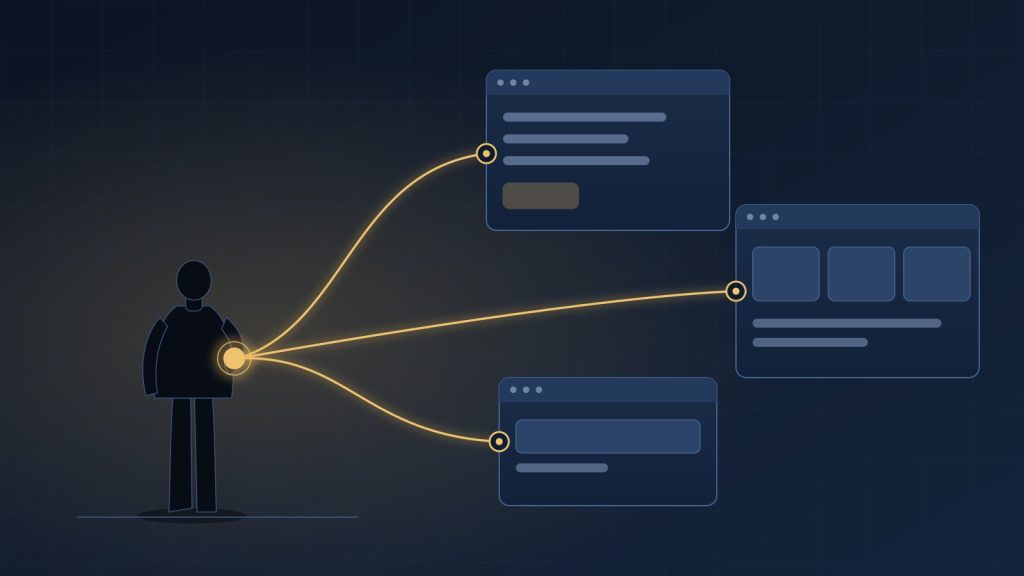
For most AI applications today, the developer pays for the model.
A user opens the app, asks for something, and the application sends that request to an AI provider. The provider charges the application developer, who then has to recover that cost through subscriptions, usage limits or higher prices.
OpenAI’s new Sign in with ChatGPT introduces another possibility.
It was one of the announcements at OpenAI DevDay 2026, which we summarised separately.
In supported applications, eligible ChatGPT Plus and Pro users can sign in with their ChatGPT account and choose to let the application use AI requests against the usage included in their existing ChatGPT plan.
The developer no longer necessarily has to ask the user for an API key or pay for every eligible AI request.
That sounds like a small authentication feature.
It may be more important than that.
There are actually two different permissions
The first thing to understand is that Sign in with ChatGPT is not one permission.
OpenAI separates:
Identity
from
ChatGPT plan usage
A user can sign in with ChatGPT and share basic identity information such as name, email address and profile picture.
That alone does not give the application access to the user’s ChatGPT conversations, memory or AI usage allowance.
Using the ChatGPT plan requires a separate permission.
OpenAI’s documentation makes this boundary explicit: the user chooses whether a participating app can consume eligible AI usage from their ChatGPT plan.
That distinction matters for both privacy and product design.
A familiar login button does not quietly become permission to spend someone’s AI allowance.
Accessible text alternative for this figure
Three groups. First, identity permission: name, email and profile information. Second, a separate AI usage permission: authorized ChatGPT plan usage, app-specific limits and revocable access. Third, not automatically shared: conversations, memory and files. The third group is drawn with a dashed outline and labelled, and every item has a text label, so no meaning depends on colour.
What changes for the user?
Today, many open-source AI tools ask users to do something like this:
- create an account with an AI provider
- create an API key
- configure billing
- copy the key
- paste it into the application
- manage usage separately
That is manageable for developers.
For a normal user, it is friction.
With Sign in with ChatGPT, a supported application can instead present:
Continue with ChatGPT
The user signs in, chooses whether to allow plan usage, and the application receives the appropriate authorization without the user manually handling an API key.
For open-source tools in particular, this changes the onboarding experience significantly.
The application developer can distribute a useful AI tool without requiring every user to understand API accounts and billing first.
The user is bringing usage, not an API key
This is an important technical distinction.
The application does not receive the user’s personal OpenAI API key.
For the open-source flow, OpenAI uses OAuth-style authorization and issues credentials scoped to eligible requests, as its open-source integration guide describes.
The user can later disconnect the application or manage its access through ChatGPT settings.
That is a much cleaner security model than asking users to paste long-lived API keys into third-party software.
An API key often carries broad authority and has to be protected by the application.
A delegated authorization can be limited, revoked and associated with a specific application.
The more interesting change is economic
Authentication itself is not new.
Developers already support:
- Sign in with Google
- Sign in with Apple
- Microsoft identity
- GitHub login
What is unusual here is that the identity can also carry permission to consume AI usage.
That changes the normal economic relationship.
Traditionally:
Developer buys AI usage → user pays developer
With ChatGPT plan usage:
User buys ChatGPT plan → participating app consumes some of that user’s included usage
The app can still charge separately for:
- its own subscription
- infrastructure
- storage
- premium workflows
- collaboration
- other services
OpenAI explicitly says an external app’s charges remain separate from the ChatGPT plan, in its help article on using your plan in other apps.
But the application may no longer have to absorb the full model cost for every eligible interaction.
For some products, that could be significant.
Accessible text alternative for this figure
Two flows side by side. Traditional model: the user uses an application, the application calls the developer’s API account, the API account calls the AI provider, and the developer pays for the AI usage. Sign in with ChatGPT model: a user with an eligible ChatGPT plan gives authorization to an application, and the application calls OpenAI. The usage is user-authorized plan usage. The authorization step is drawn with a dashed line and labelled, and every step has a text label, so no meaning depends on colour.
This could particularly help small and open-source applications
Consider a developer who builds an open-source research assistant.
The software may be free.
The developer now has three common choices:
Option 1: pay for users’ AI usage
That quickly becomes expensive.
Option 2: ask users to provide their own API key
Technically reasonable, but difficult for less technical users.
Option 3: run a local model
Useful for some workloads, but potentially weaker or more demanding on user hardware.
Sign in with ChatGPT creates a fourth option:
let eligible users authorize the app to consume AI usage already included in their ChatGPT plan.
This is why OpenAI is initially emphasizing open-source and locally hosted applications. OpenAI says ChatGPT plan usage is available to open-source partners, while broader commercial participation remains more restricted.
That limitation is important.
This is not yet a universal payment mechanism for AI applications.
It does not mean unlimited free AI
There is another easy misunderstanding to avoid.
When a user connects an application, they do not receive a new AI allowance.
The application’s usage draws from the user’s existing limits.
OpenAI allows users to set per-app usage caps, and activity in connected apps contributes to the same overall allowance.
For Plus users, OpenAI documentation also describes shared usage limits across applications rather than a separate allocation for each connected tool.
So from a product-design perspective, developers still need to handle:
- plan limits
- app-specific limits
- unavailable usage
- expired authorization
- fallback behaviour
The app cannot assume the user’s ChatGPT plan will always pay for the next request.
What happens when the allowance runs out?
This may become one of the more important product-design questions.
Suppose an application is using the user’s ChatGPT plan and the user reaches a limit.
What should happen?
The app could:
- ask the user to wait
- let the user increase the app’s limit
- use permitted ChatGPT credits
- offer its own paid credits
- switch to another provider
- reduce capability
- stop AI functionality
OpenAI’s own UI guidance tells developers to make this state clear and direct the user back to ChatGPT usage settings when limits are reached.
This means AI usage is becoming part of application state.
Developers may need to know not just:
Is this user logged in?
but also:
Is this user currently authorized and able to spend AI usage here?
That is a new design consideration.
This is not the same as Bring Your Own API Key
At first glance, the idea resembles BYOK, or Bring Your Own Key.
But the user experience and trust model are different.
With BYOK:
User gives the application a provider credential.
With Sign in with ChatGPT plan usage:
User authorizes the provider to let this application make a constrained class of requests against the user’s allowance.
The second model avoids exposing the user’s actual API key.
It also gives the provider a central place to:
- show connected applications
- track usage
- apply limits
- revoke authorization
That is much closer to delegated access than traditional API-key sharing.
But it also creates stronger platform dependence
There is another side to this convenience.
If an application depends heavily on a user’s ChatGPT entitlement, it becomes more closely tied to OpenAI’s:
- account system
- plan rules
- usage limits
- supported models
- authorization scopes
- partner policies
The application’s AI economics may improve.
Its platform dependence may also increase.
This is especially relevant for developers trying to remain model-neutral.
A product that supports OpenAI plan usage may still need another path for:
- users without Plus or Pro
- unsupported regions or accounts
- enterprise policies
- another model provider
- local inference
- its own paid usage
So this is unlikely to eliminate application-side AI billing entirely.
It creates another option.
Privacy boundaries are clearer than many users may assume
OpenAI says Sign in with ChatGPT does not automatically expose:
- ChatGPT conversations
- memory
- files
- billing information
For identity sign-in, the application receives basic profile data.
Additional access requires additional authorization.
That is an important distinction because the phrase “Sign in with ChatGPT” could otherwise imply that the external application receives the user’s ChatGPT history or personal context.
It does not, based on the current documentation.
Commercial availability is still limited
This is another reason not to overstate the development.
Identity sign-in is rolling out across selected partners.
Commercial Sign in with ChatGPT is currently described by OpenAI as a limited trial, while plan usage is more broadly available to open-source integrations and selected private clients.
So we should not yet describe this as a new standard for SaaS AI billing.
It is an early platform model.
The interesting part is what it demonstrates.
The subscription may be becoming part of the application environment
For years, AI access was mostly tied to the application.
The app chose the provider.
The app owned the API account.
The app paid the inference bill.
The user paid the app.
Sign in with ChatGPT introduces another model:
the user arrives with an existing relationship to the AI provider.
That relationship can include:
- identity
- entitlement
- usage limits
- credits
- authorization controls
The application becomes the experience built around that intelligence.
That is potentially significant.
It suggests that some future AI applications may compete less on access to the underlying model and more on:
- workflow
- domain knowledge
- user experience
- integrations
- reliability
- proprietary data
- execution
The AI capability itself may increasingly come from a subscription the user already owns.
My Perspective: this is more than another login button
The safest way to describe Sign in with ChatGPT today is not:
AI subscriptions are now portable.
That goes too far.
The capability remains specific to OpenAI, eligible ChatGPT plans, participating applications and supported requests.
But something meaningful has changed.
For the first time at meaningful scale, developers can build certain applications where the user brings not only an identity but also an existing AI usage entitlement.
That could reduce onboarding friction and change the economics of open-source and smaller AI applications.
It could also deepen dependence on the platform providing that entitlement.
The important question is therefore not simply:
Will developers add another login button?
It is:
What happens to AI software economics when part of the intelligence budget belongs to the user rather than the application?
Sign in with ChatGPT gives us an early version of that model.
Whether it becomes a broader industry pattern will depend on what other AI providers do next.
Sources and Further Reading
Source review: 2 October 2026.
- OpenAI — Sign in with ChatGPT. Developer overview covering identity and ChatGPT plan usage.
- OpenAI — Sign in with ChatGPT Quickstart. Integration types, OAuth scopes, eligibility and availability.
- OpenAI — Integrating Sign in with ChatGPT in Your Open-Source App. OpenAI’s implementation example and explanation of the open-source use case.
- OpenAI Help Center — Using Your ChatGPT Plan in Other Apps and Sites. User-facing explanation of plan usage, limits, credits and external-app charges.
- OpenAI Help Center — Sign in with ChatGPT. Identity, privacy and permission boundaries.
- OpenAI — UI/UX Guidelines for Sign in with ChatGPT. Guidance for usage visibility, limits and application behaviour.