

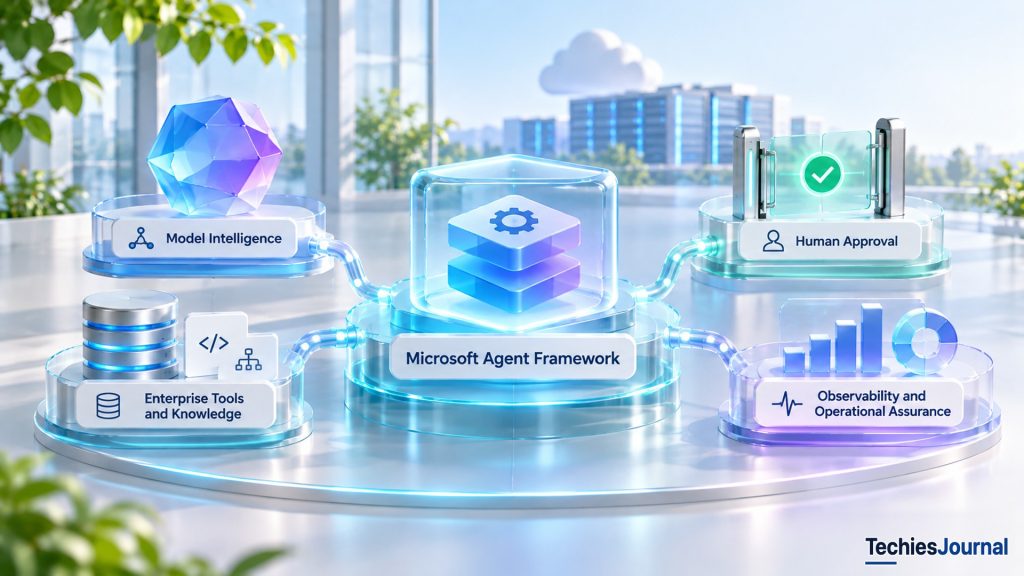
Building an AI agent begins with a familiar idea: give a language model instructions, provide the information it needs and let it respond to a request.
That is enough for many useful applications.
An enterprise agent becomes more demanding when it must retrieve live information, use software tools, maintain task context or perform an operation that affects another system.
Consider an IT incident-investigation agent. It needs to examine incident records, check deployment events, retrieve monitoring information and explain what the evidence suggests. Some requests might also lead to corrective actions that require approval.
The model supplies reasoning and interpretation. Application code and tools provide access to the systems that hold the evidence. A workflow can control the order of important operations.
These are different responsibilities, and they do not all need to be delegated to the model.
In the first three parts of this TechiesJournal series, Part 1 introduced Microsoft’s AI ecosystem, Part 2 examined Microsoft Foundry’s production architecture and Part 3 compared Copilot, Copilot Studio and Foundry for enterprise requirements.
This fourth part moves into implementation. It explains how Microsoft Agent Framework supports code-based agents, how the Microsoft 365 Agents SDK and Foundry Agent Service fit around those agents, and how developers decide where agent reasoning should end and controlled application behavior should begin.
1. From AI Application to Enterprise Agent
A language model receives input and generates a response.
An agent adds an execution layer that can coordinate the model, instructions, context and available tools.
For example, a model can explain common reasons for an application outage. An incident-investigation agent can also retrieve the deployment history and monitoring information for a specific application, then use that information to investigate the reported failure.
The distinction is not simply that the agent produces a more detailed answer.
An agent can participate in a sequence of operations that brings new information into the task.
What happens inside an agent request?
A typical agent interaction has several parts.
The calling application supplies the request.
The agent combines the request with its configured instructions and available context.
The model decides whether it can answer using the information already available or needs a permitted tool.
If a tool is selected, the agent execution layer invokes the tool and makes the result available for further processing.
The agent then produces a response or continues the task if another operation is needed.
For the IT incident scenario, a simplified flow looks like this:
Incident request → Agent → Monitoring tool → Retrieved evidence → Model analysis → Investigation result
The model does not independently open a monitoring database or execute arbitrary infrastructure commands. A configured tool performs the operation.
This distinction explains why an enterprise agent needs more than a model and a prompt.
It needs an interface for calling software functions, a reliable way to process results and a clear boundary between model-generated instructions and permitted application actions.
Not every task needs an agent
Suppose the IT department already knows that every incoming incident must be recorded, assigned a severity and sent to a fixed support queue.
If the rules are known and the process is predictable, ordinary application code may be sufficient.
AI becomes useful where interpretation is required, such as analyzing an unfamiliar error message, identifying possible relationships between deployment events and incidents, or summarizing evidence from several systems.
A sound architecture may therefore combine conventional code and an agent rather than replacing the entire process with model-driven decisions.
Microsoft Agent Framework supports that distinction.
Microsoft documentation: Microsoft Agent Framework overview
2. Microsoft’s Agent Development Stack
Microsoft provides several technologies for developing and operating agents. They address different layers of the application.
The most important for this part are Microsoft Agent Framework, Microsoft 365 Agents SDK and Foundry Agent Service.
| Component | Main responsibility | What developers use it for |
|---|---|---|
| Microsoft Agent Framework | Agent behavior and orchestration | Model access, tools, sessions, middleware and workflows |
| Microsoft 365 Agents SDK | Conversation and channel integration | Receive messages, route activities and respond through supported channels |
| Foundry Agent Service | Managed agent execution | Host supported agents, expose endpoints and provide runtime capabilities |
These products are complementary, not different names for the same framework.
Text version of Figure 1
- Channel integration, handled by the Microsoft 365 Agents SDK: receive user activities, send responses to channels and map channel context.
- Agent behavior, defined with Microsoft Agent Framework: the model and instructions, tools, sessions and workflows, and developer-controlled logic.
- Managed execution, provided by Foundry Agent Service: host eligible agent code, expose supported endpoints and provide managed identity and scale.
- These can be combined, but none automatically implies the others. The arrangement is illustrative, not a required deployment topology.
Microsoft 365 Agents SDK
Receives channel activities and sends replies. Useful for Teams or other supported user channels. It does not define model reasoning.
Microsoft Agent Framework
Defines model client, instructions, tools, state and workflow steps. Developer code owns the actual agent behavior.
Foundry Agent Service
Can host eligible agent code behind a managed endpoint. Hosting is a separate deployment decision.
Microsoft Agent Framework
Agent Framework provides code-level building blocks for creating agents and workflows.
It brings together concepts developed through Microsoft’s Semantic Kernel and AutoGen projects, including agent abstractions, tool execution, context management, middleware and multi-agent coordination.
An application can use Agent Framework to define an agent, connect a model and give it tools.
Developers can also use it to define a workflow where the application controls which steps execute and in what order.
This is the framework we will use in the implementation example.
Microsoft 365 Agents SDK
The Microsoft 365 Agents SDK serves a different purpose.
It handles the communication between an agent application and supported user-facing channels.
When a message arrives from a channel such as Teams, the SDK can normalize it into an Activity, route it to the appropriate handler and send the result back through that channel.
The SDK also provides conversation and state-management capabilities.
It does not select an AI model or automatically define the agent’s reasoning behavior.
An application could use Microsoft 365 Agents SDK to receive the employee’s message and Agent Framework to process it.
The two libraries solve different problems.
Foundry Agent Service
Foundry Agent Service provides supported managed execution environments for agents.
A developer can build a code-based agent and deploy it using an eligible hosted-agent approach.
Foundry can then provide managed runtime capabilities such as an endpoint, scaling, identity and session support, depending on the selected configuration.
The distinction matters because the framework used to implement an agent does not automatically determine where the agent runs.
A team may develop an Agent Framework application locally, host it in Foundry or use another supported hosting arrangement.
These choices affect deployment, identity, networking and operational responsibilities, but they do not replace the agent’s application logic.
Where Agent 365 fits
Microsoft Agent 365 and its SDK introduce enterprise agent-management and Microsoft 365 service integration capabilities.
They are related to enterprise agents, but they are not substitutes for Agent Framework’s reasoning and workflow implementation.
The broader identity, governance, security and cost responsibilities belong to Part 7 of this series.
For now, the developer’s immediate task is to create a working agent.
Microsoft documentation: Microsoft Agent Framework | Microsoft 365 Agents SDK | Foundry Agent Service | Microsoft Agent 365 | Microsoft Agent 365 SDK
3. Building the First Agent with Microsoft Agent Framework
A useful first implementation should be small enough to understand without hiding the framework behind several configuration files.
For our IT scenario, the first agent will analyze an incident description and explain what information is needed for an investigation.
It will not access production systems yet.
That separation allows us to establish the model connection and agent behavior before adding external operations.
Prerequisites
The example uses Python and Microsoft’s documented Agent Framework integration with Foundry.
It requires a supported Python environment, a Foundry project with a compatible deployed model, a usable project endpoint and an authenticated Azure identity with the appropriate permissions.
Install the relevant packages:
pip install agent-framework-foundry azure-identityCheck the package name before you run it. On November 17, 2026, versions 1.26.1 and 1.26.2 of the separate agent-framework meta-package were published to PyPI with credential-stealing code and removed within the hour. Security researchers at Elastic and Wiz reported that the malicious versions ran every time Python started on the host and named 1.26.0 as the last clean release.
The command above installs agent-framework-foundry. Microsoft’s documentation says that package installs agent-framework-core rather than the agent-framework meta-package, and its published dependency list did not include the meta-package when this article was reviewed. Even so, install into a clean virtual environment, pin and review the versions that resolve, and if an affected version ever ran on a developer machine or build agent, treat every secret on that host as exposed and rotate it.
For local development, sign in using Azure CLI:
az loginThe code below uses environment variables rather than embedding resource addresses or credentials.
Set FOUNDRY_PROJECT_ENDPOINT to the Foundry project endpoint and FOUNDRY_MODEL to the name of a compatible model deployment.
A minimal incident-investigation agent
import asyncio
import os

from azure.identity import AzureCliCredential
from agent_framework import Agent
from agent_framework.foundry import FoundryChatClient


async def main():
    agent = Agent(
        client=FoundryChatClient(
            project_endpoint=os.environ["FOUNDRY_PROJECT_ENDPOINT"],
            model=os.environ["FOUNDRY_MODEL"],
            credential=AzureCliCredential(),
        ),
        name="IncidentInvestigator",
        instructions=(
            "You assist with IT incident investigation. "
            "Use only the evidence supplied in the request. "
            "Separate confirmed observations from possible causes. "
            "Identify missing information before drawing conclusions. "
            "Do not claim that you executed diagnostic commands."
        ),
    )

    result = await agent.run(
        "An application began returning HTTP 503 errors "
        "shortly after a deployment. What should be investigated?"
    )

    print(result)


if __name__ == "__main__":
    asyncio.run(main())
This example uses the Agent, FoundryChatClient and agent.run() pattern documented by Microsoft.
The endpoint identifies the Foundry project. The model setting selects the deployment. The Azure credential authenticates the request.
The agent’s instructions establish how it should respond to incident questions.
They are not a security mechanism that can independently enforce every application rule, but they provide useful guidance for its behavior.
The result should be treated as an investigation suggestion, not an established root cause.
This example is intentionally limited to one request. It does not implement tool access, incident storage, approval processing or deployment hosting.
What the example proves, and what it does not
If the configured environment is valid and the request succeeds, the application has demonstrated that it can connect to a model through Agent Framework and receive an agent response.
It has not demonstrated that the agent can retrieve actual monitoring information.
It has also not demonstrated that the resulting analysis is correct for a real production incident.
The next engineering step is to make the agent work with verified external information.
Sources: Agent Framework: Your first agent | We caught the agent-framework PyPI compromise six minutes after it published (Elastic Security Labs, November 18, 2026) | Microsoft agent-framework Compromised: Credential Stealer Targets Azure and CI Pipelines (Wiz Blog)
4. Connecting Enterprise Tools and Knowledge
The first agent can discuss an incident using information supplied in its request.
An enterprise investigation requires live evidence.
That information may come from a monitoring API, deployment database, service-management application or searchable technical documentation.
Agent Framework supports tools that allow an agent to interact with these systems through defined interfaces.
From model reasoning to tool execution
Consider a diagnostic function named get_deployment_events.
Its responsibility is to retrieve deployment events for a specified application.
The agent can have access to a description of the function, its expected arguments and its purpose.
When the model determines that deployment information is needed, the framework can coordinate a call to that tool.
The implementation then performs the actual operation.
This is an important architectural boundary.
The language model can propose a tool call, but the software function determines which API is contacted and how the request is executed.
A production implementation should validate arguments before calling the downstream service.
For example, the tool should not accept an arbitrary server address from the model and immediately send credentials to it.
The application should use an approved service endpoint and constrain the identifiers it accepts.
A minimal sketch with Agent Framework’s @tool decorator separates a read-only diagnostic from an operation that needs approval:
from typing import Annotated

from agent_framework import tool

ALLOWED_APPLICATIONS = {"billing-api", "orders-api"}


@tool
def get_deployment_events(
    application: Annotated[str, "Application name from the approved list"],
) -> str:
    """Get recent deployment events for an application. Read-only."""
    if application not in ALLOWED_APPLICATIONS:
        raise ValueError("Unknown application")
    return fetch_deployment_events(application)  # your approved deployment API


@tool(approval_mode="always_require")
def restart_service(
    service: Annotated[str, "Service name from the approved list"],
) -> str:
    """Restart a service. A person must approve each call before it runs."""
    return request_restart(service)  # your approved operations API
Pass both functions to the agent through the tools argument of the Agent constructor. The first function can run whenever the model selects it. The second sets approval_mode to always_require, so the agent returns an approval request instead of running it. The function bodies are placeholders for calls to your own approved services.
A tool is a software contract
A useful enterprise tool defines more than its name.
It should have clear input types, expected output, permitted operations and error behavior.
For an incident lookup, the input could be a validated incident identifier.
The result could contain the incident status, affected service, timestamps and a reference to the originating system.
The agent can use that structured result rather than interpreting an unvalidated block of text.
This also helps separate three kinds of information:
- Instructions: What the agent has been asked to do.
- Evidence: Information retrieved from a source.
- Actions: Operations that can change another system.
An incident description returned by a tool is evidence to analyze, not a new instruction that overrides the agent’s behavior.
That matters because retrieved documents and external APIs can contain untrusted text.
Knowledge retrieval versus operational tools
A knowledge connection might retrieve troubleshooting procedures from a search index.
An operational tool might retrieve a live incident or request an infrastructure change.
Both provide useful capabilities, but their consequences differ.
Reading a document does not normally modify production state.
Restarting a service, changing a configuration or resolving a ticket can affect users and systems.
The application should therefore distinguish read-only diagnostics from operations that require stronger authorization or explicit approval.
The tools also need suitable identities and downstream permissions.
An agent that can call a function should not automatically have access to every record or infrastructure resource.
Once tools are connected, the next design question is who determines the order in which they run.
Microsoft documentation: Agent Framework tools | Tool approval
5. Orchestrating Agents and Workflows
Agent Framework supports more than a single agent deciding which tool to call next.
It also supports workflows in which developers explicitly define the execution path.
This distinction is particularly important for enterprise applications.
When one agent is sufficient
Suppose the IT agent needs to answer an investigative question using a monitoring tool and a deployment-history tool.
It may be reasonable to let one agent decide which tool to use based on the question.
The task is exploratory, and the right next action depends on the evidence discovered.
A single agent with a small set of carefully defined tools can often handle this without another orchestration layer.
When the process needs explicit control
Now consider a different requirement.
The application must collect diagnostic evidence, prepare a proposed remediation, obtain approval and then perform an authorized operation.
The order matters.
The organization does not want the model to decide whether approval is optional.
A workflow can enforce that sequence.
In Agent Framework, workflow execution is organized through steps or executors connected into a defined process.
Some executors can use an agent for interpretation. Others can use conventional code to perform deterministic checks or operations.
For example:
Retrieve evidence → Analyze incident → Prepare remediation → Require approval → Execute permitted action → Verify result
The analysis step may benefit from an agent.
The approval gate should follow the application’s explicit rules.
The final execution step should use a validated operation with the necessary authorization.
This approach combines AI reasoning with predictable process control.
Text version of Figure 2
- Incident request: the employee supplies the investigation target.
- Agent investigates: the model selects permitted read-only tools.
- Evidence-based findings: monitoring and deployment results are returned.
- If remediation is requested, validate the proposed operation: target, policy and required identity.
- Human approval gate: the proposal is rejected or approved through the controlled workflow.
- Execute and verify: only the authorized action runs, and the outcome is recorded.
- A rejection or failed validation means no production operation.
Read-only investigation
Incident request → agent selects diagnostic tools → monitoring API returns permitted evidence → findings. No write to production.
Controlled remediation
Proposed action → validate scope and target → require authenticated approval → execute permitted operation → verify and record result.
Human approval is an execution boundary
Microsoft Agent Framework documents human-in-the-loop capabilities for both tool approval and workflow interactions.
Tool approval can interrupt a proposed action until a decision is supplied.
A workflow can also pause at a defined point and resume after receiving external input.
The application must handle these events correctly.
Showing a message that says approval required is not enough if the underlying tool can still execute without authorization.
The actual operation should remain blocked until the required approval has been verified.
In code, the caller checks the response for approval requests and resumes the same session with the decision:
from agent_framework import Message

session = agent.create_session()
result = await agent.run("Restart the billing service.", session=session)

for request in result.user_input_requests:
    if request.function_call is None:
        continue
    print(request.function_call.name, request.function_call.arguments)
    approved = ask_approver(request.function_call)  # a verified human decision
    reply = Message(role="user", contents=[request.to_function_approval_response(approved)])
    result = await agent.run(reply, session=session)

print(result.text)
The value of approved must come from a verified person or system, never from model output. The restart runs only if the application passes True.
When multiple agents help
Agent Framework also supports multi-agent patterns.
Different agents can perform specialized tasks, work sequentially, run independent work concurrently or hand control to one another.
These arrangements are useful when responsibilities are genuinely distinct.
For the IT scenario, one agent could analyze deployment history while another examines monitoring evidence.
Their findings could then be combined.
But creating separate agents for every API would add coordination overhead without necessarily improving the result.
A conventional tool may be sufficient when the operation does not require independent reasoning.
The useful design principle is to give the model discretion where interpretation matters and retain explicit control where the process has mandatory rules.
Microsoft documentation: Agent Framework workflows | Human-in-the-loop workflows | Tool approval
6. State, Reliability and Production Execution
An agent that answers one request successfully is not yet a production-ready service.
Enterprise applications need to handle interrupted requests, unavailable tools, repeated operations and long-running tasks.
Agent Framework and Foundry offer capabilities for some of these requirements, but developers must understand what each one preserves.
Conversation context is not business state
An agent session can maintain information needed for an ongoing interaction.
For example, the user may provide an incident ID, ask for an investigation and then request clarification about one of the findings.
The session helps preserve relevant context between those interactions.
However, the authoritative incident record remains in the service-management system.
A conversation transcript should not become the only record of an approved infrastructure change.
The business application still needs durable records of requested actions, approvals, execution outcomes and identifiers.
Workflow checkpoints support recovery
Agent Framework supports workflow checkpoints.
A checkpoint saves execution information so a workflow can resume from an appropriate point instead of repeating every previous step.
This can help when an investigation runs for a long time or pauses for human approval.
Checkpoint durability depends on the selected storage implementation.
In-memory checkpoints are useful for development and short-lived processes but do not provide durable recovery across restarts.
File-based or supported external storage options can provide persistence appropriate to their operating environment.
To enable checkpoints, give the workflow builder a storage object:
from agent_framework import FileCheckpointStorage, WorkflowBuilder

# collect_evidence, analyze_incident and prepare_remediation are executors you define.
checkpoint_storage = FileCheckpointStorage("/var/lib/incident-agent/checkpoints")

builder = WorkflowBuilder(start_executor=collect_evidence, checkpoint_storage=checkpoint_storage)
builder.add_edge(collect_evidence, analyze_incident)
builder.add_edge(analyze_incident, prepare_remediation)
workflow = builder.build()
A checkpoint also does not automatically guarantee that an external operation executes exactly once.
Suppose an agent requests that a service-management ticket be created.
The ticket is created, but the workflow loses its connection before receiving confirmation.
If the operation is retried without checking the earlier result, a duplicate ticket may be created.
The tool implementation needs safeguards such as a stable request identifier and an idempotent receiving operation.
Checkpointing and transaction safety solve different problems.
Text version of Figure 3
- Failure: conversation context lost. Mechanism: persist session context. Limitation: it does not replace business records.
- Failure: workflow interrupted. Mechanism: durable checkpoint and resume. Limitation: it does not ensure exactly-once actions.
- Failure: external write repeated. Mechanism: idempotency and reconciliation. Limitation: it needs receiving-system safeguards.
Lost conversation
Persist session context. This is distinct from authoritative incident records.
Interrupted workflow
Use durable checkpoints to resume. Persistence depends on configured storage.
Duplicate write
Use a stable operation key and receiving-system idempotency. Checkpointing cannot guarantee exactly-once writes.
Hosting and protocols
For a supported hosted agent, Foundry can provide an endpoint and managed execution environment.
Microsoft documents Responses and Invocations hosting protocols for Agent Framework applications.
The Responses protocol supports a conversational interface, including supported response history and streaming.
The Invocations protocol is useful for a more general request-processing interface and custom input or output shapes.
The selected protocol affects how callers interact with the hosted agent and how session information is handled.
Developers must select and configure the appropriate protocol rather than assume that every hosted agent exposes the same API.
For the Responses protocol, Microsoft’s hosting package wraps an Agent Framework agent in a small HTTP server:
from agent_framework_foundry_hosting import ResponsesHostServer

server = ResponsesHostServer(agent)  # the agent built earlier
server.run()  # serves POST /responses, on port 8088 by default
The hosting package is published as a beta release at the time of this review, so pin its version.
Microsoft’s hosting guidance also documents deployment through Azure Developer CLI using supported source-code or container approaches.
Observability should explain execution
A production incident-investigation agent needs enough evidence to explain what happened during a request.
Useful records include the request identifier, selected tools, tool execution times, relevant errors and the outcome of the task.
Agent Framework provides instrumentation capabilities, while Foundry-hosted workloads can integrate with supported operational services.
Telemetry must be configured appropriately and should not collect sensitive incident information unnecessarily.
The purpose is to determine whether a failure occurred in the model interaction, the tool implementation, the workflow or the external system.
This builds on the Foundry observability concepts introduced in Part 2 without repeating that platform’s complete monitoring architecture.
Microsoft documentation: Workflow checkpoints | Host Agent Framework agents in Foundry
7. Choosing the Right Implementation Pattern
The incident-investigation example now contains all the major building blocks.
There is a model for interpreting evidence, tools for accessing operational systems, an agent for coordinating investigative work and an optional workflow for enforcing required steps.
The implementation does not need to use every available orchestration feature.
The most appropriate design depends on how much reasoning and execution control the task requires.
| Requirement | Starting pattern | Why |
|---|---|---|
| Answer a question using supplied context | Model call or simple agent | Minimal orchestration needed |
| Investigate using several permitted diagnostic tools | Single agent with tools | Model can select relevant information sources |
| Perform ordered operations with mandatory approval | Explicit workflow with agent steps | Application controls sequence and approval gates |
| Coordinate genuinely independent specialist reasoning tasks | Multi-agent workflow or delegation | Separates distinct reasoning responsibilities |
| Offer an agent through supported Microsoft 365 channels | Microsoft 365 Agents SDK or eligible integration | Handles messages and channel behavior |
| Operate a supported code-based agent in managed Azure infrastructure | Foundry hosted agent | Provides a managed execution environment |
A practical implementation sequence
For the enterprise IT agent, the smallest useful development sequence would be to start with one model-backed agent, then add a read-only diagnostic tool.
Once the agent reliably retrieves and interprets evidence, add other tools only where they improve the investigation.
If the requirement includes changing production infrastructure, place that operation behind an explicitly controlled approval and execution path.
Then test the full sequence using representative requests, permission failures, unavailable tools and interrupted execution.
This produces a clearer understanding of the application’s actual behavior than starting with a large collection of agents and hoping their collaboration will work.
What an enterprise agent ultimately consists of
An enterprise AI agent is not simply a language model connected to a few APIs.
It is application software that combines model reasoning with defined tools, contextual information, execution rules, identities and operational controls.
Microsoft Agent Framework provides the code-level foundation for building these behaviors.
Microsoft 365 Agents SDK can connect supported agent applications to user-facing channels.
Foundry Agent Service can provide managed hosting for eligible implementations.
These technologies are useful because they separate responsibilities that developers otherwise need to implement themselves.
The engineering challenge is to decide which decisions belong to the model, which belong to application code and which must remain under explicit human or business-system control.
That is the difference between an agent demonstration and an enterprise application with understandable execution behavior.
The next part in this series will examine model selection in Foundry, including how different models and deployment options affect application requirements.
Go Deeper: Microsoft Documentation and Security Reports
- Microsoft Agent Framework overview: What Agent Framework provides.
- Create your first agent: Create an agent and get a response.
- Add tools to an agent: Let an agent call custom functions.
- Agent Framework workflows: When a workflow defines the path and when an agent does.
- Human-in-the-loop workflows: Pause a workflow for external input.
- Workflow checkpoints: Save and resume workflow state.
- Microsoft 365 Agents SDK: Receive and send messages across channels.
- Foundry Agent Service: Prompt, voice-based and hosted agents.
- Host Agent Framework agents in Foundry: Expose an agent through the Responses or Invocations protocol and deploy it.
- Microsoft Agent 365: Management, governance and security for the agents in an organization.
- Microsoft Agent 365 SDK: Connect an agent you own to Agent 365.
- We caught the agent-framework PyPI compromise six minutes after it published (Elastic Security Labs, November 18, 2026): Technical analysis of the compromised releases and how to respond.
- Microsoft agent-framework Compromised: Credential Stealer Targets Azure and CI Pipelines (Wiz Blog): Timeline, payload and response steps.
Reviewed November 24, 2026. The enterprise IT scenario and code example are illustrative. The code examples follow Microsoft’s documented Agent Framework patterns and the names they use were compared with the current package releases, but they were not executed against a TechiesJournal deployment, and the sketches use placeholder functions where your own services belong. Package versions, APIs and hosting availability change often, so check Microsoft’s current documentation and review the versions that resolve before relying on them.